-
How to Plan a Successful Software Development Project: A 9-Step Guide
How to Plan a Successful Software Development Project: A 9-Step Guide
Software development is a complex and challenging process that requires careful planning, execution, and testing. Whether you are developing a new software product, enhancing an existing one, or outsourcing your software project to a third-party vendor, you need to follow some essential steps to ensure the quality, functionality, and usability of your software solution.
In this blog post, we will share with you a 9-step guide to help you plan a successful software development project, from defining your goals and requirements, to choosing the right technology and methodology, to delivering and maintaining your software product.
Step 1: Define your goals and scope
The first step in any software development project is to clearly define your goals and scope. What are you trying to achieve with your software solution? Who are your target users and customers? What are the main features and functionalities that your software should provide? What are the expected outcomes and benefits of your software project?
By answering these questions, you can establish the vision, purpose, and scope of your software project. You can also identify the key stakeholders, such as the project sponsor, the project manager, the development team, the end-users and the customers. Having a clear and shared understanding of your goals and scope will help you align your expectations, communicate effectively, and avoid scope creeps.
Step 2: Conduct market research and analysis
The next step in planning a successful software development project is to conduct market research and analysis. This involves gathering information about your target market, competitors, industry trends and customer needs. You can use various methods and tools to conduct market research, such as surveys, interviews, focus groups, online platforms, analytics tools and more.
By conducting market research and analysis, you can gain valuable insights into the needs, preferences and pain points of your potential users and customers. You can also identify the gaps and opportunities in the market, as well as the strengths and weaknesses of your competitors. This will help you validate your idea, define your value proposition and differentiate your software solution from others.
Step 3: Define your requirements and specifications
The third step in planning a successful software development project is to define your requirements and specifications. This involves translating your goals and scope into detailed and measurable requirements that specify what your software solution should do, how it should work, what it should look like and how it should perform. You can use various techniques and tools to define your requirements, such as user stories, use cases, wireframes, mockups, prototypes and more.
By defining your requirements and specifications, you can provide a clear and comprehensive description of your software solution to your development team and other stakeholders. You can also ensure that your software solution meets the expectations and needs of your users and customers. Moreover, you can use your requirements as a basis for testing and validating your software solution.
Step 4: Choose the right technology stack
The fourth step in planning a successful software development project is to choose the right technology stack. This involves selecting the appropriate programming languages, frameworks, libraries, tools and platforms that will be used to develop, test, deploy and run your software solution. You can use various criteria to choose your technology stack, such as the complexity, functionality, scalability, security, performance and compatibility of your software solution.
By choosing the right technology stack, you can ensure that your software solution is built with the best-suited technologies that match your requirements and specifications. You can also leverage the advantages of each technology component, such as ease of use, reliability, efficiency and flexibility. Furthermore, you can avoid potential issues and risks related to technology compatibility, integration and maintenance.
Step 5: Choose the right development methodology
The fifth step in planning a successful software development project is to choose the right development methodology. This involves selecting the appropriate approach or process that will be used to manage, organize and execute your software development project. You can choose from various development methodologies, such as waterfall, agile, scrum, kanban and more.
By choosing the right development methodology, you can ensure that your software development project is managed in a way that suits your goals, scope, requirements, specifications, technology stack and team size.
You can also optimize the efficiency, quality, collaboration and transparency of your software development process.
Moreover, you can adapt to changing requirements, feedback and market conditions with ease and agility.Step 6: Design and develop your software solution
The sixth step in planning a successful software development project is to design and develop your software solution.
This involves creating the architecture, structure, layout, interface and functionality of your software solution based on your requirements and specifications.
You can use various tools and techniques to design and develop your software solution, such as coding, testing,
debugging, refactoring, reviewing and more.By designing and developing your software solution, you can turn your idea into a tangible and functional software product that meets the needs and expectations of your users and customers. You can also ensure that your oftware solution is user-friendly, attractive, intuitive and responsive.
Furthermore, you can verify that your software solution is error-free, bug-free and secure.
Step 7: Test and validate your software solution
The seventh step in planning a successful software development project is to test and validate your software solution. This involves checking the quality, functionality, usability, and performance of your software solution against your requirements and specifications.
You can use various methods and tools to test and validate your software solution, such as unit testing, integration testing, system testing, user acceptance testing, load testing, security testing and more. By testing and validating your software solution, you can ensure that your software solution works as expected, delivers the desired outcomes and benefits and satisfies the requirements and specifications.
You can also identify and fix any issues, defects or errors that may affect the functionality, usability, or performance of your software solution. Moreover, you can improve the quality, reliability, and security of your software solution.
Step 8: Deploy and launch your software solution
The eighth step in planning a successful software development project is to deploy and launch your software solution. This involves releasing your software solution to the market, making it available and accessible to your users and customers. You can use various tools and platforms to deploy and launch your software solution, such as cloud services, web servers, app stores and more.
By deploying and launching your software solution, you can introduce your software product to the world, reaching and attracting your target audience and potential customers. You can also generate revenue, feedback and recognition for your software product. Furthermore, you can monitor and measure the performance, usage and impact of your software product.
Step 9: Maintain and update your software solution
The ninth and final step in planning a successful software development project is to maintain and update your software solution. This involves providing ongoing support, maintenance, and improvement for your software solution, ensuring its functionality, usability, and performance over time. You can use various tools and techniques to maintain and update your software solution, such as bug fixing, patching, upgrading, adding new features, enhancing existing features and more.
By maintaining and updating your software solution, you can ensure that your software product remains relevant, competitive, and valuable in the market. You can also keep your users and customers satisfied, loyal and engaged with your software product. Moreover, you can adapt to changing user needs, customer feedback and market trends with ease and agility.
Conclusion
Software development is a complex and challenging process that requires careful planning, execution, and testing. By following these 9 steps, you can plan a successful software development project that delivers a high-quality, functional, and user-friendly software solution that meets your goals, scope, requirements, and specifications. You can also achieve the expected outcomes and benefits of your software project, such as customer satisfaction, revenue generation and market recognition.
-
How to Choose the Best IT Outsourcing Partner for Your Business
How to Choose the Best IT Outsourcing Partner for Your Business

IT outsourcing is a popular and effective way to reduce costs, access specialized skills, and improve productivity for your business. However, choosing the right IT outsourcing partner can be a challenging and complex process. There are many factors to consider, such as the quality of service, the communication style, the cultural fit, the security measures, and the pricing model. In this article, we will guide you through the key steps and core considerations before you start your IT outsourcing journey.
Step 1: Define your goals and expectations
The first step is to clearly define your goals and expectations for your IT outsourcing project. What are the main objectives and benefits you want to achieve? What are the specific tasks and deliverables you need from your IT outsourcing partner? How will you measure the success of the project? Having a clear vision and scope will help you communicate your needs and requirements to potential IT outsourcing partners, as well as evaluate their proposals and performance.
Step 2: Do your research and shortlist potential partners
The next step is to do your research and shortlist potential IT outsourcing partners that match your criteria. You can use various sources of information, such as online reviews, testimonials, case studies, portfolios, referrals, industry awards, and certifications. You should also consider the location, size, experience, expertise, and reputation of the IT outsourcing companies. You can narrow down your list by comparing their services, prices, quality standards, and customer satisfaction ratings.
Step 3: Conduct interviews and assessments
The third step is to conduct interviews and assessments with your shortlisted IT outsourcing partners. This is an opportunity to get to know them better, ask questions, clarify doubts, and verify their credentials. You should also assess their technical skills, domain knowledge, project management capabilities, communication skills, problem-solving abilities, and cultural fit. You can use various methods, such as phone calls, video conferences, online tests, code reviews, or trial projects.
Step 4: Negotiate the contract and terms of agreement
The final step is to negotiate the contract and terms of agreement with your chosen IT outsourcing partner. The contract should cover all the important aspects of the project, such as the scope of work, the deliverables, the timeline, the budget, the payment terms, the quality standards, the security measures, the communication channels, the feedback mechanisms, the dispute resolution procedures, and the exit clauses. You should also define the roles and responsibilities of both parties, as well as the expectations and obligations.
By following these steps and core considerations before you start your IT outsourcing project, you will be able to choose the best IT outsourcing partner for your business. A good IT outsourcing partner will not only provide you with high-quality services at a reasonable cost but also help you achieve your business goals and grow your competitive advantage.
-
.NET Framework Vs .NET Core: A Comprehensive Comparison
.NET Framework Vs .NET Core: A Comprehensive Comparison
If you are a .NET developer or planning to hire one, you might be wondering what the difference between .NET Framework and .NET Core is, and which one you should use for your next project. In this blog post, we will compare these two technologies and help you make an informed decision.
.NET Framework and .NET Core are both part of the .NET ecosystem, which is a platform for developing several types of applications using C# and other compatible languages. However, they have unique features, advantages, and limitations that make them suitable for different scenarios.
Let’s start with a brief overview of each technology.
.NET Framework
.NET Framework is the original and most mature version of .NET, which was launched by Microsoft in 2002. It is a Windows-only platform that supports building desktop, web, and service applications using Windows Forms, WPF, ASP.NET MVC, and WCF. It also provides a common set of APIs, libraries, and tools that can be used across diverse types of .NET applications.
.NET Framework has a large and loyal user base, as well as a rich and stable feature set. However, it also has some drawbacks, such as:
- It is not cross-platform, meaning it can only run on Windows machines.
- It is not open-source, meaning it has less community involvement and innovation.
- It has a monolithic architecture, meaning it requires installing the entire framework on the target machine, which can affect performance and deployment flexibility.
- It has backward compatibility issues, meaning it can be difficult to upgrade or migrate existing applications to newer versions of the framework.
.NET Core
.NET Core is a newer and more modern version of .NET, which was launched by Microsoft in 2016. It is a cross-platform and open-source platform that supports building console, web, and service applications using .NET CLI, ASP.NET Core, and gRPC. It also provides a common set of APIs and libraries that are compatible with .NET Framework and Xamarin.
.NET Core has some advantages over .NET Framework, such as:
- It is cross-platform, meaning it can run on Windows, Linux, and Mac machines.
- It is open source, meaning it has more community involvement and innovation.
- It has a modular architecture, meaning it allows installing only the required components on the target machine, which can improve performance and deployment flexibility.
- It has backward compatibility features, meaning it can run older versions of .NET applications without requiring any changes.
.NET Core also has some limitations, such as:
- It is less mature and stable than the .NET Framework, meaning it may have more bugs and issues.
- It has less features and libraries than .NET Framework, meaning it may not support some functionalities or scenarios that are available in .NET Framework.
- It has less support and documentation than .NET Framework, meaning it may be harder to find solutions or guidance for some problems or questions.
.NET Framework Vs .NET Core: A Comparison Table
To summarize the main differences between .NET Framework and .NET Core, we can use the following table:
Feature .NET Framework .NET Core Platform Windows-only Cross-platform Source Closed-source Open-source Architecture Monolithic Modular Compatibility Backward compatibility issues Backward compatibility features Maturity Mature and stable Less mature and stable Features Rich and comprehensive Less features Support More support and documentation Less support and documentation How to Choose Between .NET Framework and .NET Core?
The choice between .NET Framework and .NET Core depends on various factors, such as:
- The type of application you want to build
- The target platform you want to run your application on
- The features and functionalities you need for your application
- The performance and scalability requirements of your application
- The existing code base or legacy applications you want to reuse or migrate
As a rule of thumb, you should use .NET Framework if:
- You want to build desktop applications using Windows Forms or WPF
- You want to build web applications using ASP.NET MVC or Web Forms
- You want to build service applications using WCF
- You want to use features or libraries that are not available in .NET Core
- You want to leverage the stability and support of a mature platform
- You want to run your application only on Windows machines
You should use .NET Core if:
- You want to build console applications using .NET CLI
- You want to build web applications using ASP.NET Core or Blazor
- You want to build service applications using gRPC or SignalR
- You want to use features or libraries that are only available in .NET Core
- You want to leverage the performance and flexibility of a modular platform
- You want to run your application on Windows, Linux, or Mac machines
Conclusion
.NET Framework and .NET Core are both powerful and popular platforms for developing .NET applications. However, they have different strengths and weaknesses that make them suitable for different scenarios. Therefore, it is important to understand the differences between them and choose the one that best fits your needs and goals.
If you need help with choosing or developing .NET applications, you can contact us at Sagara Media Group. We are a leading .NET development company that can provide you with expert guidance and solutions for your .NET projects.
-
IT Outsourcing Models: A Guide for Businesses
IT Outsourcing Models: A Guide for Businesses

IT outsourcing is the practice of hiring external providers to perform IT-related tasks or projects for your business. IT outsourcing can help you save costs, access global talent, focus on your core competencies, and leverage advanced technologies.
But how do you choose the right IT outsourcing model for your needs? There are different types of IT outsourcing models based on location, relationship, and purpose. In this article, we will explain each type and provide some examples of successful cases.
Location-Based IT Outsourcing Models
Location-based IT outsourcing models refer to the geographical distance between you and your service provider. There are three main types:
- Onshore outsourcing: You outsource to a provider in the same country as yours. This can reduce communication issues, cultural differences, and legal risks. However, it can also be more expensive and less diverse than other options.
- Nearshore outsourcing: You outsource to a provider in a neighboring country or region that shares a similar time zone, culture, or language with yours. This can offer a balance between cost-effectiveness, quality, and convenience. However, it can also limit your choices and expose you to political or economic instability in the region.
- Offshore outsourcing: You outsource to a provider in a distant country or continent that has a different time zone, culture, or language from yours. This can offer the lowest costs, the widest pool of talent, and the most innovation potential. However, it can also pose challenges in communication, collaboration, and quality control.
Relationship-Based IT Outsourcing Models
Relationship-based IT outsourcing models refer to the degree of involvement and control you have over your service provider. There are four main types:
Staff augmentation: You hire individual developers or teams from an outsourcing company to supplement your in-house staff. You manage them directly and integrate them into your workflow. This can help you fill skill gaps, scale up quickly, and retain flexibility. However, it can also increase your management overhead, create conflicts with your existing staff, and reduce your long-term efficiency.
Project-based outsourcing: You delegate an entire project or a specific scope of work to an outsourcing company that handles it from start to finish. You define the requirements, budget, and timeline, and they deliver the results. This can help you reduce risks, save time, and access expertise. However, it can also limit your visibility, flexibility, and ownership of the project.
Managed services: You outsource a specific function or process to an outsourcing company that takes full responsibility for its performance and outcomes. You set the service level agreements (SLAs), key performance indicators (KPIs), and expectations, and they ensure the quality and continuity of the service. This can help you optimize costs, improve efficiency, and focus on your core business. However, it can also reduce your control, alignment, and innovation capabilities.
Dedicated team: You hire a dedicated team of developers from an outsourcing company that works exclusively for you as an extension of your in-house team. You collaborate with them closely and manage them indirectly through a project manager or a team leader. This can help you build long-term relationships, ensure quality and consistency, and foster innovation and growth. However, it can also require more investment, commitment, and integration than other options.
Purpose-Based IT Outsourcing Models
Purpose-based IT outsourcing models refer to the main goal or objective you want to achieve by outsourcing. There are three main types:
Strategic outsourcing
You outsource to gain a competitive advantage in your market or industry by accessing new technologies, markets, customers, or partners. You partner with an outsourcing company that shares your vision, values, and goals, and co-create value-added solutions that benefit both parties.
Tactical outsourcing
You outsource to improve your operational efficiency and effectiveness by reducing costs, increasing productivity, enhancing quality, or streamlining processes. You contract with an outsourcing company that offers standardized services that meet your specific needs and expectations.
Transformational outsourcing
You outsource to enable your digital transformation and innovation by adopting new business models, processes, platforms, or capabilities. You collaborate with an outsourcing company that provides customized services that help you solve complex challenges and achieve breakthrough results.
Examples of Successful IT Outsourcing Cases
Here are some examples of how different businesses have used different types of IT outsourcing models to achieve their goals:
- Netflix: The streaming giant has used offshore outsourcing to develop its platform and expand its global presence. It has partnered with several offshore development centers in India, Brazil, and Poland to access diverse talent and expertise, as well as to cater to local markets and regulations.
- Slack: The popular collaboration tool has used project-based outsourcing to launch its product and grow its user base. It has hired an outsourcing company in Canada to design and develop its prototype, beta version, and initial features, as well as to provide ongoing support and maintenance.
- IBM: The tech giant has used managed services to optimize its IT infrastructure and operations. It has outsourced its IT functions such as data center management, cloud computing, cybersecurity, and network services to various outsourcing companies around the world, such as Accenture, HCL, and Wipro.
- Basecamp: The project management software has used a dedicated team to enhance its product and customer experience. It has hired a dedicated team of developers from an outsourcing company in Romania to work on its core features, integrations, and improvements, as well as to provide feedback and suggestions.
Conclusion
IT outsourcing can offer many benefits for your business, but it also requires careful planning and decision-making. You need to consider various factors such as your budget, timeline, scope, quality, risk, and goals when choosing the right IT outsourcing model for your needs.
To help you make the best choice, you can consult with an experienced IT outsourcing company that can guide you through the process and offer you the most suitable solution. At Sagara Media Group LLC, we have been providing IT outsourcing services for over 10 years, and we have worked with clients from various industries and regions. We can help you find the best IT outsourcing model for your business, whether it is onshore, nearshore, offshore, staff augmentation, project-based, managed services, dedicated team, strategic, tactical, or transformational.
If you are interested in learning more about our IT outsourcing services and how we can help you achieve your goals, contact us today for a free consultation.
-
Understanding the Factors that Can Escalate the Cost of Developing a .NET Application
Understanding the Factors that Can Escalate the Cost of Developing a .NET Application
.NET is a popular framework for developing web applications, desktop applications, mobile applications, and cloud services. It offers a variety of tools, libraries, and languages that enable developers to create high-quality software solutions. However, developing a .NET application is not a simple task. It requires careful planning, analysis, design, development, testing, and deployment. Moreover, it involves various factors that affect the cost of the project, such as the scope, complexity, features, functionality, quality, security, performance, and maintenance.
In this blog post, we will discuss some of the key points that you need to consider before starting a .NET development project. These points will help you estimate the cost of developing a .NET application and make informed decisions.
1. Define the scope and requirements of the project
The first step in any software development project is to define the scope and requirements of the project. This means identifying the goals, objectives, target audience, expected outcomes, and deliverables of the project. You need to specify what you want to achieve with the .NET application, what problems you want to solve, what features and functionality you want to include, and what are the non-functional requirements such as usability, reliability, scalability, security, etc.
Defining the scope and requirements of the project will help you determine the size and complexity of the project, which will affect the cost of developing a .NET application. The more complex and large-scale the project is, the more time and resources it will require. Therefore, you need to be clear and realistic about what you want to accomplish with the .NET application and avoid unnecessary or unrealistic features that may increase the cost and delay the delivery.
2. Choose the appropriate .NET technology stack
The next step in developing a .NET application is to choose the appropriate .NET technology stack for your project. The .NET technology stack consists of various components that work together to create a .NET application. These components include:
– The .NET platform: This is the underlying framework that provides the runtime environment, libraries, and services for developing and running .NET applications. There are two main versions of the .NET platform: .NET Framework and .NET Core. .NET Framework is the original and more mature version that supports Windows-based applications. .NET Core is the newer and more cross-platform version that supports Windows, Linux, and macOS applications.
The programming language: This is the language that you use to write the code for your .NET application. There are several languages that are compatible with the .NET platform, such as C#, Visual Basic.NET, F#, C++, etc. However, C# is the most widely used and recommended language for developing .NET applications because of its versatility, readability, productivity, and performance.
The development tools: These are the tools that you use to create, edit, debug, test, and deploy your .NET application. There are many tools available for developing .NET applications, such as Visual Studio, Visual Studio Code, Rider, ReSharper, etc. However, Visual Studio is the most comprehensive and popular tool that provides a rich set of features and integrations for developing .NET applications.
The database: This is the data storage system that you use to store and retrieve data for your .NET application. There are many database options available for developing .NET applications, such as SQL Server, MySQL, PostgreSQL, MongoDB, etc. However, SQL Server is the most common and preferred database for developing .NET applications because of its compatibility, security, performance, and scalability.
The web framework: This is the framework that you use to create web-based applications using the .NET platform. There are several web frameworks available for developing .NET applications, such as ASP.NET MVC, ASP.NET Web Forms, ASP.NET Web API, ASP.NET Core MVC, ASP.NET Core Web API, Blazor, etc. However, ASP.NET Core MVC and ASP.NET Core Web API are the most modern and advanced web frameworks that offer high-performance, cross-platform, and modular web development using the .NET Core platform.
Choosing the appropriate .NET technology stack for your project will affect the cost of developing a .NET application. The cost will depend on the availability, expertise, and demand of the developers who are proficient in the chosen technologies. Therefore, you need to select the technologies that best suit your project needs, budget, and timeline.
3. Hire a reliable and experienced .NET development team
The final step in developing a .NET application is to hire a reliable and experienced .NET development team that can execute your project successfully. Hiring a .NET development team is one of the most crucial factors that affect the cost of developing a .NET application. The cost will depend on:
- The size of the team: This refers to how many developers, testers, designers, project managers, and other roles you need to complete your project. The size of the team will depend on the scope, complexity, and duration of the project. The larger the team, the higher the cost.
- The location of the team: This refers to where the team is based and where they work from. The location of the team will affect the cost of living, labor rates, taxes, and other expenses. The cost will vary depending on whether you hire a local, nearshore, or offshore team. A local team is based in your country or region and works in the same time zone as you. A nearshore team is based in a neighboring country or region and works in a similar time zone to you. An offshore team is based in a distant country or region and works in a different time zone than you. Generally, hiring an offshore team is cheaper than hiring a local or nearshore team, but it may also involve communication, cultural, and quality challenges.
- The experience of the team: This refers to how skilled, qualified, and knowledgeable the team is in developing .NET applications. The experience of the team will affect the quality, efficiency, and reliability of the project. The more experienced the team, the higher the cost.
Hiring a reliable and experienced .NET development team is not an easy task. You need to do thorough research, evaluation, and comparison of different .NET development companies or freelancers before making a decision. You need to consider their portfolio, reviews, ratings, testimonials, references, certifications, awards, etc. You also need to communicate with them effectively and clearly about your project expectations, requirements, budget, timeline, etc.
Alternatively, you can outsource your .NET development project to a reputable and professional software outsourcing company that can provide you with a dedicated and experienced .NET development team at an affordable cost. Outsourcing your .NET development project can save you time, money, and the hassle of hiring, managing, and training your own .NET development team.
Outsourcing your .NET development project can also give you access to a wider pool of talent, expert and technology that can help you create a high-quality .NET application that meets your business goals.Conclusion
Developing a .NET application is a complex and costly process that involves many factors that affect the cost of the project.
However, by following these steps, you can estimate the cost of developing a .NET application and make informed decisions.- Define the scope and requirements of the project
- Choose the appropriate .NET technology stack for your project
- Hire a reliable and experienced .NET development team
If you are looking for a reliable and experienced .NET development company that can help you develop a .NET application at an affordable cost, contact us today. We have a team of skilled and certified .NET developers who can deliver high-quality .NET solutions for your business needs. We have extensive experience in developing web applications, desktop applications, mobile applications, and cloud services using .NET technologies.
We also offer flexible engagement models, transparent pricing, and timely delivery for your .NET development project.Get in touch with us today and get a free quote for your .NET development project.
-
Unlocking Success: A Comprehensive Roadmap to the Mobile App Development Process
How to Develop a Successful Mobile App: A Step-by-Step Guide
Mobile apps are everywhere. They help us communicate, shop, learn, play, and more. But how are they made? What are the steps involved in developing a mobile app from scratch? And what are the best practices to ensure a high-quality product that meets the needs of the users and the market?
In this blog post, we will answer these questions and provide you with a step-by-step guide on how to develop a successful mobile app. We will also explain some of the key concepts and technologies that are involved in the app development process, such as backend, devops, support, security, and MVP. Whether you are a beginner or an expert, this post will help you understand the basics and the best practices of mobile app development.

Step 1: Define your app idea and goals
The first step in developing a mobile app is to define your app idea and goals. What problem are you trying to solve with your app? Who are your target users and what are their needs and preferences? What are the main features and functionalities of your app? What are the benefits and value propositions of your app? How will you measure the success of your app?
These are some of the questions that you need to answer before you start coding. You can use tools such as brainstorming, market research, user personas, user stories, and wireframes to help you define your app idea and goals. You can also validate your app idea by conducting surveys, interviews, or focus groups with potential users or customers.
Step 2: Choose your app platform and development approach
The next step is to choose your app platform and development approach. Depending on your target audience and budget, you can decide whether you want to develop a native app, a web app, or a hybrid app.
A native app is an app that is developed for a specific operating system, such as iOS or Android. A native app can offer the best performance, user experience, and access to device features, but it also requires more time, money, and skills to develop and maintain.
A web app is an app that runs on a web browser and can be accessed from any device. A web app can be cheaper and faster to develop and update, but it may have limited functionality, performance, and user experience compared to a native app.
A hybrid app is an app that combines elements of both native and web apps. A hybrid app can use web technologies such as HTML, CSS, and JavaScript to create a cross-platform app that can run on multiple devices. A hybrid app can offer some advantages of both native and web apps, such as lower development cost and wider reach, but it may also face some challenges such as compatibility issues and performance trade-offs.
Once you choose your app platform, you also need to choose your development approach. You can either use a low-code or no-code platform that allows you to create an app without coding or with minimal coding, or you can use a custom development approach that gives you more control and flexibility over your app design and functionality.
Step 3: Design your app user interface and user experience
The third step is to design your app user interface (UI) and user experience (UX). UI refers to the visual elements of your app, such as colors, fonts, icons, buttons, images, etc. UX refers to the interaction and navigation of your app, such as menus, screens, gestures, feedback, etc.
The design of your app UI and UX is crucial for the success of your app. A good UI and UX can make your app attractive, intuitive, easy to use, and engaging for your users. A bad UI and UX can make your app confusing, frustrating, boring, or even unusable for your users.
To design a good UI and UX for your app, you need to follow some principles and best practices such as:
- Use consistent and clear design elements throughout your app
- Use appropriate colors, fonts, icons, images that match your brand identity and target audience
- Use simple and intuitive navigation that helps users find what they need quickly
- Use feedback mechanisms such as sounds, vibrations, animations that inform users about their actions
- Use responsive design that adapts to different screen sizes and orientations
- Use accessibility features such as contrast ratio, font size adjustment that make your app usable for people with disabilities
- Test your UI and UX with real users using tools such as prototypes or mockups
Step 4: Develop your app frontend and backend
The fourth step is to develop your app frontend and backend. The frontend is the part of your app that users see and interact with. The backend is the part of your app that handles the data processing, storage, and communication between the frontend and other services or systems.
The frontend development involves coding the UI and UX of your app using programming languages such as Swift, Java, Kotlin, Objective-C, JavaScript, HTML, CSS, etc. The frontend development also involves testing and debugging your app using tools such as simulators, emulators, or real devices.
The backend development involves coding the logic and functionality of your app using programming languages such as Python, C#, Ruby, PHP, JAVA, Node.js, etc. The backend development also involves setting up and managing the servers, databases, APIs, and other services or systems that your app needs to function properly. Some of the common backend technologies that you can use for your app are:
- Firebase: A platform that provides various services such as authentication, database, storage, hosting, analytics, etc. for mobile and web apps.
- AWS: A platform that provides various services such as computing, storage, database, networking, security, etc. for mobile and web apps.
- MongoDB: A database that stores data in JSON-like documents and allows flexible and scalable data management for mobile and web apps.
- Express: A framework that simplifies the creation of web servers and APIs for mobile and web apps.
- GraphQL: A query language that allows efficient and flexible data fetching and manipulation for mobile and web apps.
Step 5: Implement devops, support, and security practices
The fifth step is to implement devops, support, and security practices for your app. Devops is a set of practices that aims to improve the collaboration and communication between the development and operations teams and automate the processes of building, testing, deploying, and monitoring your app. Support is a set of practices that aims to provide assistance and guidance to your users and customers and resolve any issues or problems they may encounter with your app. Security is a set of practices that aims to protect your app from unauthorized access, data breaches, malware attacks, or other threats.
Some of the devops, support, and security practices that you can implement for your app are:
- Use version control tools such as Git or SVN to manage your code changes and collaborate with other developers
- Use continuous integration and continuous delivery tools such as Jenkins or Travis CI to automate the building, testing, and deploying of your app
- Use monitoring and analytics tools such as New Relic or Google Analytics to track the performance, usage, and errors of your app
- Use feedback and communication tools such as Slack or Zendesk to communicate with your users and customers and collect their feedback
- Use bug tracking and issue management tools such as Jira or GitHub Issues to track and resolve the bugs and issues of your app
- Use encryption tools such as SSL or TLS to encrypt the data transmission between your app and the backend
- Use authentication tools such as OAuth or JWT to verify the identity of your users and grant them access to your app
- Use authorization tools such as Firebase Rules or AWS IAM to control the access levels of your users and resources
- Use firewall tools such as Cloudflare or AWS WAF to block malicious traffic or requests to your app
Step 6: Launch your MVP and iterate based on feedback
The sixth step is to launch your MVP (minimum viable product) and iterate based on feedback. An MVP is a version of your app that has only the core features and functionalities that are essential for your users and customers. An MVP allows you to test your app idea with real users and customers and collect their feedback before investing more time and money into developing more features and functionalities.
Launching an MVP can help you:
- Validate your app idea and goals and see if they match the needs and preferences of your users and customers
- Identify the strengths and weaknesses of your app UI and UX and see how they affect the user satisfaction and retention
- Measure the key performance indicators (KPIs) of your app such as downloads, usage, engagement, conversion, revenue, etc.
- Gather user feedback and suggestions on how to improve or add more features and functionalities to your app
To launch an MVP, you need to:
- Choose a distribution channel such as App Store, Google Play Store, or web browser to publish your app
- Create a landing page or a website that showcases your app features, benefits, and value propositions and encourages users to download or access your app
- Promote your app using marketing strategies such as social media, email marketing, content marketing, SEO, etc.
to reach out to potential users or customers Once you launch an MVP, you need to:
- Monitor the performance, usage, and errors of your app using tools such as New Relic or Google Analytics
- Collect user feedback using tools such as surveys, interviews, or focus groups or using in-app feedback mechanisms such as ratings, reviews, or comments
- Analyze the user feedback using tools such as sentiment analysis or text mining to identify the common themes or patterns of user opinions or preferences
- Prioritize the user feedback based on factors such as urgency, importance, feasibility, or impact on user satisfaction or retention
Implement the user feedback by making changes.
Achieving success in mobile app development isn’t merely a stroke of luck; it requires hard work, meticulous planning, dedication, persistence, and a clear vision of where you are starting from (the idea) and where you aim to end up (a successful business).
-
Top 10 SQL Server Database Issues that Can Slow Down Your Application
Top 10 SQL Server Database Issues that Can Slow Down Your Application

SQL Server is a popular relational database management system that powers many applications across different domains. However, SQL Server can also encounter some common problems that would affect the performance of the applications that rely on it. In this blog post, we will discuss the top 10 common problems in SQL Server database and how to troubleshoot them.
- Missing indexes: Indexes are data structures that help SQL Server to find data faster by reducing the number of disk reads. However, if the indexes are missing or not meticulously designed, SQL Server will have to scan the entire table or index to find the data, which can be awfully slow and resource intensive. To identify missing indexes, you can use the Database Engine Tuning Advisor, the Missing Indexes feature, or the execution plans of the queries.
- Outdated statistics: Statistics are information about the distribution of data in a table or index, such as the number of rows, the number of distinct values, and the average length of values. SQL Server uses statistics to estimate the cost and select the best execution plan for a query. However, if the statistics are outdated or inaccurate, SQL Server may choose a suboptimal plan that leads to deficient performance. To update statistics, you can use the UPDATE STATISTICS statement, the sp_updatestats stored procedure, or the Auto Update Statistics option.
- Fragmented indexes: Index fragmentation occurs when the logical order of the pages in an index does not match the physical order on disk. This can cause SQL Server to perform more disk reads and page splits, which can degrade performance and increase disk space usage. To reduce index fragmentation, you can use the ALTER INDEX REORGANIZE or ALTER INDEX REBUILD statements, or the Index Defragmentation feature.
- Blocking: Blocking occurs when one session holds a lock on a resource that another session wants to access. This can cause the second session to wait until the first session releases the lock, which can delay the execution of queries and transactions. To identify blocking, you can use the sp_who2 stored procedure, the Activity Monitor, or the Blocked Process Report.
- Deadlocks: Deadlocks occur when two or more sessions hold locks on resources that each other wants to access, and none of them can proceed until one of them releases its lock. This can cause SQL Server to terminate one of the sessions and roll back its transaction, which can result in data loss and performance degradation. To prevent deadlocks, you can use proper transaction isolation levels, avoid long-running transactions, access resources in a consistent order, and use deadlock detection tools such as the Deadlock Graph event class or Extended Events.
- Tempdb contention: Tempdb is a system database that stores temporary objects such as tables, variables, cursors, and stored procedures. Tempdb contention occurs when multiple sessions try to access or modify the same tempdb objects or pages, which can cause contention on allocation structures such as PFS (Page Free Space), GAM (Global Allocation Map), and SGAM (Shared Global Allocation Map). To alleviate tempdb contention, you can configure multiple tempdb data files with equal size and growth settings, enable trace flag 1118 to allocate full extents to tempdb objects, and optimize tempdb usage by minimizing temporary objects and sorting operations.
- Memory pressure: Memory pressure occurs when SQL Server does not have enough memory to perform its operations efficiently. This can cause SQL Server to perform more disk reads and writes, which can slow down query execution and increase I/O latency. To monitor memory pressure, you can use performance counters such as Page Life Expectancy, Buffer Cache Hit Ratio, Lazy Writes/sec, and Memory Grants Pending.
- CPU pressure: CPU pressure occurs when SQL Server consumes more CPU resources than available on the server. This can cause query execution to be delayed or interrupted, which can affect application performance and responsiveness. To diagnose CPU pressure, you can use performance counters such as Processor: % Processor Time, System: Processor Queue Length, SQLServer:SQL Statistics:Batch Requests/sec, and SQLServer:SQL Statistics:SQL Compilations/sec.
- I/O bottlenecks: I/O bottlenecks occur when SQL Server has to wait for disk operations to be completed before it can proceed with query execution. This can cause query performance to suffer and increase I/O latency. To identify I/O bottlenecks, you can use performance counters such as Physical Disk:% Disk Time, Physical Disk:Avg. Disk sec/Read, Physical Disk:Avg. Disk sec/Write, and SQLServer:Wait Statistics.
- Poor query design: Poor query design is one of the most common causes of SQL Server performance problems. Poorly designed queries can cause excessive CPU usage, memory consumption, disk I/O, network traffic, locking/blocking/deadlocking issues, and tempdb contention. To optimize query design, you can follow best practices such as using appropriate data types and indexes, avoiding implicit conversions and functions on columns in predicates/joins/aggregates, limiting the number of rows and columns returned, using parameterized queries and stored procedures, and avoiding cursors and loops.
A common misconception among many developers is equating the ability to create tables, views, or stored procedures with a comprehensive understanding of a database. This is far from the truth. While there are certainly high-level SQL Server experts with deep knowledge, it’s not typical in my experience. What is often found instead are applications with performance issues that slow responsiveness, negatively impact the business, and tarnish the reputation of the developers involved. Once your business moves beyond the startup phase, it’s wise to hire a genuine database administrator (not just someone for backup and restore) to manage this vital part of your operation. If a full-time administrator is beyond your budget, at least consider a maintenance plan from a software company to handle this ongoing task. Always remember that data is the most crucial aspect of your business.
-
Agile methodology: Scrum vs Kanban
Agile Methodology:
When to Use Kanban and When to Use Scrum
Agile methodology is a set of values and principles that guide software development teams to deliver high-quality products that meet customer needs. Agile teams work in short iterations, collaborate frequently, and adapt to changing requirements. There are many agile frameworks that implement agile methodology, such as Scrum and Kanban. In this blog post, we will compare these two frameworks and help you decide when to use Kanban and when to use Scrum for your projects.

What is Kanban?
Kanban is a project management framework that relies on visual tasks to manage workflows. Kanban originated from the Toyota Production System, which used cards (kanbans) to signal the demand and supply of materials in a factory. Kanban helps teams optimize their flow of work by limiting the amount of work in progress (WIP) and making the work visible on a Kanban board. A Kanban board consists of columns that represent different stages of the workflow, such as To Do, In Progress, and Done. Each column has a WIP limit that indicates how many tasks can be done in that stage at any time. Tasks are represented by cards that move from left to right across the board as they are completed.
The main benefits of Kanban are:
- It reduces waste and inefficiency by focusing on the value stream and eliminating bottlenecks.
- It improves quality and customer satisfaction by delivering work faster and more frequently.
- It enhances team collaboration and communication by making the work transparent and visible to everyone.
- It fosters continuous improvement by encouraging teams to monitor their performance and experiment with new ideas.
The main challenges of Kanban are:
- It requires a high level of discipline and commitment from the team to follow the rules and respect the WIP limits.
- It may not provide enough structure and guidance for complex or uncertain projects that need more planning and coordination.
- It may not suit teams that have fixed deadlines or scope requirements, as Kanban does not prescribe timeboxes or deliverables.
What is Scrum?
Scrum is a project management framework that helps teams’ structure and manage their work through a set of values, principles, and practices. Scrum is based on the empirical process control theory, which states that knowledge comes from experience and making decisions based on what is known. Scrum enables teams to deliver valuable products incrementally and iteratively by inspecting and adapting their work at regular intervals.
The main components of Scrum are:
- The Scrum Team, which consists of a Product Owner, a Scrum Master, and Developers. The Product Owner is responsible for maximizing the value of the product and managing the Product Backlog. The Scrum Master is responsible for facilitating the Scrum process and coaching the team. The Developers are responsible for creating a potentially releasable product increment in each Sprint.
- The Product Backlog, which is an ordered list of all the features, requirements, enhancements, and fixes that constitute the product. The Product Owner prioritizes the Product Backlog items (PBIs) according to their value, risk, dependency, and urgency.
- The Sprint, which is a timeboxed period of one month or less, during which the team creates a product increment that meets the Definition of Done. Each Sprint starts with a Sprint Planning meeting, where the team selects the PBIs from the Product Backlog that they can complete in the Sprint. Each Sprint ends with a Sprint Review meeting, where the team presents the product increment to the stakeholders and collects feedback, and a Sprint Retrospective meeting, where the team reflects on their performance and identifies improvement actions.
- The Sprint Backlog, which is a subset of the Product Backlog items that the team commits to deliver in the Sprint. The Sprint Backlog also includes a plan for how the team will accomplish their work.
- The Daily Scrum, which is a 15-minute meeting held every day during the Sprint, where each team member answers three questions: What did I do yesterday? What will I do today? Are there any impediments in my way?
- The Increment, which is the sum of all the PBIs completed during a Sprint and all previous Sprints. The Increment must be usable, valuable, and adhere to the Definition of Done.
The main benefits of Scrum are:
- It increases customer satisfaction and business value by delivering working products frequently and incorporating feedback.
- It enhances team productivity and creativity by empowering them to self-organize and collaborate.
- It reduces risk and uncertainty by breaking down complex projects into manageable chunks and inspecting and adapting them regularly.
- It fosters continuous improvement by encouraging teams to learn from their experiences and improve their processes.
The main challenges of Scrum are:
- It requires a high level of trust and collaboration among the team members and stakeholders.
- It may not fit well with organizations that have rigid hierarchies, silos, or cultures that resist change.
- It may not suit projects that have fixed specifications or contracts, as Scrum embraces change and emergent requirements.
When to Use Kanban and When to Use Scrum?
There is no definitive answer to this question, as both Kanban and Scrum have their strengths and weaknesses, and the best framework for your project depends on various factors, such as:
- The nature of the work: Is it predictable or unpredictable? Is it simple or complex? Is it urgent or not?
- The type of product: Is it new or existing? Is it stable or evolving? Is it customer-facing or internal?
- The characteristics of the team: How large is it? How experienced is it? How distributed is it? How autonomous is it?
- The expectations of the stakeholders: What are their goals and priorities? What are their feedback and communication preferences? What are their quality and delivery standards?
Generally speaking, Kanban may be more suitable for projects that:
- Have a continuous and steady flow of work that does not require much planning or estimation.
- Have a mature and stable product that requires minimal changes or enhancements.
- Have a small and co-located team that has a high level of expertise and discipline.
- Have flexible and responsive stakeholders that value speed and quality over scope and schedule.
On the other hand, Scrum may be more suitable for projects that:
- Have a variable and uncertain flow of work that requires frequent planning and re-prioritization.
- Have a new and evolving product that requires significant changes or innovations.
- Have a large and distributed team that needs a clear structure and guidance.
- Have demanding and involved stakeholders that value feedback and collaboration over cost and contract.
However, these are not hard-and-fast rules, and you may find that your project can benefit from both Kanban and Scrum practices. In fact, many teams use a hybrid approach called Scrumban, which combines the best of both worlds. Scrumban allows teams to use the Scrum framework as a backbone, while applying the Kanban principles of visualization, WIP limits, and flow optimization. Scrumban can help teams transition from Scrum to Kanban, or vice versa, or simply improve their existing processes.
How Can Agile Methodology Help You Succeed in Your Projects?
Agile methodology can help you succeed in your projects by enabling you to:
- Deliver value to your customers faster and more frequently.
- Adapt to changing requirements and market conditions.
- Improve the quality of your products and processes.
- Enhance the collaboration and satisfaction of your team and stakeholders.
Whether you choose Kanban, Scrum, or any other agile framework, the key is to embrace the agile mindset of customer-centricity, experimentation, inspection, adaptation, and improvement. By doing so, you can create products that delight your customers and make a positive impact on your organization.
[Sources: 1](https://www.atlassian.com/agile/kanban/kanban-vs-scrum), [2](https://www.atlassian.com/agile/kanban), [3](https://asana.com/resources/scrumban), [4](https://www.brightwork.com/blog/agile-methodologies-scrum-and-kanban)
-
How to Define an MVP for Your Project
How to Define an MVP for Your Project
If you have a great idea for a product or service, you might be tempted to start building it right away. However, this can be a risky and costly move, especially if you don’t validate your idea with your target market first. That’s why many entrepreneurs and startups use the concept of a minimum viable product (MVP) to test their assumptions and learn from customer feedback.
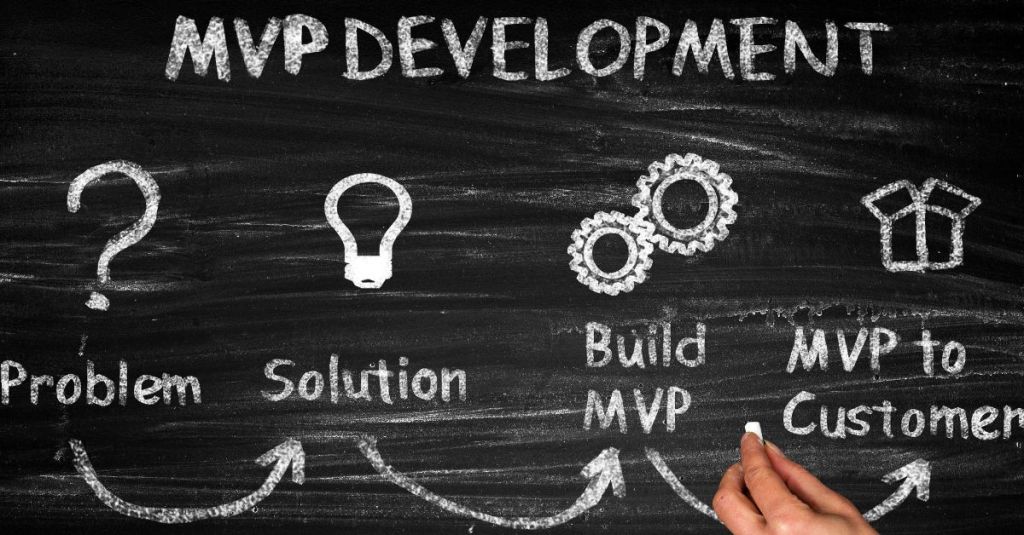
An MVP is a version of your product or service that has the minimum set of features or functionalities that can solve a problem or satisfy a need for your potential customers. It is not a final or polished product, but rather a prototype or experiment that you can use to gather data and insights about your idea.
The benefits of starting with an MVP are:
- You can save time and money by avoiding unnecessary features or functionalities that your customers don’t want or need.
- You can reduce the risk of failure by validating your idea with real users before investing more resources into development.
- You can learn from customer feedback and iterate on your product or service based on their needs and preferences.
- You can build a loyal and engaged customer base that can help you spread the word about your product or service.
So how do you define an MVP for your project? Here are some steps to follow:
- Identify the problem or need that you want to solve or satisfy for your target market. What is the pain point or gap that your idea addresses? Who are your potential customers and what are their characteristics, behaviors, and motivations?
- Define the value proposition of your product or service. What is the unique benefit or solution that your idea offers to your potential customers? How does it differ from existing products or services in the market? What is the core value that you want to deliver to your customers?
- List the features or functionalities that are essential to deliver the value proposition of your product or service. These are the must-have features or functionalities that your MVP should have to solve the problem or satisfy the need for your potential customers. Prioritize them based on their importance and feasibility.
- Build a prototype or mockup of your MVP that showcases the essential features or functionalities. This can be a simple sketch, wireframe, landing page, video, slideshow, or any other format that can demonstrate how your product or service works and what value it provides to your potential customers.
- Test your MVP with real users and collect feedback. Find a small group of early adopters or potential customers who are willing to try out your MVP and give you honest and constructive feedback. You can use various methods such as surveys, interviews, focus groups, usability tests, analytics, etc. to measure and analyze their reactions, behaviors, opinions, and suggestions.
- Learn from the feedback and iterate on your MVP based on the data and insights that you gathered. Identify what works and what doesn’t work in your MVP and make changes accordingly. You can also add new features or functionalities that your customers request or value, as long as they align with your value proposition and problem statement.
- Repeat steps 5 and 6 until you achieve product-market fit. This is the stage where you have validated that there is a sufficient demand for your product or service in the market and that your customers are satisfied with it. You can then scale up your product or service by adding more features or functionalities, improving the design and quality, expanding the market reach, etc.
Starting a project from an MVP and up is a critical approach that can help you avoid wasting time, money, and effort on building something that nobody wants or needs. It can also help you create a better product or service that meets the expectations and desires of your customers.
However, defining an MVP for your project can be challenging if you don’t have a clear vision of what you want to build and why. If you have an idea but don’t know how to express it properly to a developer or project manager, here are some tips to help you:
- Write down your idea in one sentence that summarizes the problem, solution, and benefit of your product or service.
- Research the market and competitors to see if there are equivalent products or services already available and how they differ from yours.
- Create a customer persona that describes who your ideal customer is, what are their goals, challenges, needs, preferences, etc.
- Use tools such as Lean Canvas, Business Model Canvas, Value Proposition Canvas, etc. to map out the key elements of your business model such as customer segments, value propositions, channels, revenue streams, cost structure, etc.
- Use tools such as Story Mapping, User Journey Mapping, User Flow Diagrams, etc. to visualize how your customer will interact with your product or service from start to finish.
- Use tools such as Balsamiq, Figma, Sketch, Adobe XD, etc. to create low-fidelity prototypes or mockups of your product or service that illustrate the main features or functionalities.
- Share your ideas, visions, and prototypes with your developers or project managers and get their feedback and suggestions on how to improve it.
By following these tips, you can communicate your idea more effectively and efficiently to your developer or project manager and ensure that they understand your goals and expectations. You can also collaborate with them to define the scope and specifications of your MVP and plan the development process accordingly.
-
Making a Tinder business clone with US$500 budget?
How much does it cost to build a Tinder-like business?

Tinder is one of the most popular dating apps in the world, with over 60 million users and 1.6 billion swipes per day. It has revolutionized the way people meet and date online and has created a multi-billion-dollar industry. But how much does it cost to create a similar app and business? And is it realistic to expect to become rich overnight by cloning Tinder?
In this blog post, we will try to answer these questions by breaking down the main components and expenses of building a Tinder-like business, including:
- Mobile app development
- Backend development
- Support and maintenance
- IT department and infrastructure
- Marketing and user acquisition
Mobile app development
The mobile app is the core of the Tinder-like business, as it is the main interface for the users to interact with each other. The app should have a sleek design, a user-friendly interface, and smooth performance. It should also have features such as:
- Registration and login via social media or email
- Profile creation and editing
- Location-based matching algorithm
- Swiping mechanism
- Chat functionality
- Push notifications
- In-app purchases and subscriptions
The cost of developing a mobile app depends on several factors, such as:
- The complexity and number of features
- The platform (iOS, Android, or both)
- The design and user experience
- The quality and experience of the developers
- The location and hourly rate of the developers
According to some estimates, the average cost of developing a basic Tinder-like app for one platform (iOS or Android) ranges from $40,000 to $60,000, while a more advanced app with more features and both platforms can cost up to $150,000 or more. However, these are only rough estimates, and the actual cost may vary depending on the specific requirements and scope of the project.
Backend development
The backend is the part of the app that runs on the server and handles the data processing, storage, and communication between the users and the app. The backend should be scalable, secure, and reliable, as it supports millions of users and transactions. The backend should also have features such as:
- Database management
- User authentication and authorization
- Matching algorithm and logic
- Chat functionality and encryption
- Payment processing and security
- Analytics and reporting
The cost of developing a backend depends on similar factors as the mobile app development, such as:
- The complexity and number of features
- The technology stack and framework
- The quality and experience of the developers
- The location and hourly rate of the developers
According to some estimates, the average cost of developing a backend for a Tinder-like app ranges from $50,000 to $100,000, depending on the complexity and scale of the project.
Support and maintenance
Once the app and backend are developed, they need to be constantly updated, tested, fixed, and improved to ensure their functionality, security, and performance. This requires ongoing support and maintenance from the developers, as well as feedback from the users. The support and maintenance costs include:
- Bug fixing and troubleshooting
- Feature updates and enhancements
- Quality assurance and testing
- User feedback and reviews
The cost of support and maintenance depends on:
- The frequency and scope of updates
- The number of bugs and issues
- The quality of the codebase
- The service level agreement (SLA) with the developers
According to some estimates, the average cost of support and maintenance for a Tinder-like app ranges from 15% to 20% of the initial development cost per year.
IT department and infrastructure
Besides the app and backend development, a Tinder-like business also needs an IT department and infrastructure to manage the technical aspects of the operation. This includes:
- Hosting services for the app and backend
- Cloud computing services for data storage and processing
- Security services for data protection and encryption
- Monitoring services for performance optimization
- Domain name registration and renewal
The cost of IT department and infrastructure depends on:
- The size and scale of the business
- The number of users and transactions
- The type and quality of services used
- The service level agreement (SLA) with the providers
According to some estimates, the average cost of outsourcing the IT department and infrastructure (not including servers) for a Tinder-like business ranges from $25,000 to $40,000 per month.
Marketing and user acquisition
The last but not least component of building a Tinder-like business is marketing and user acquisition. This involves creating awareness, interest, and engagement among potential users, as well as converting them into paying customers. Marketing and user acquisition strategies include:
- Social media marketing
- Search engine optimization (SEO)
- Content marketing
- Influencer marketing
- Email marketing
- Referral marketing
- Paid advertising (PPC)
- App store optimization (ASO)
The cost of marketing and user acquisition depends on:
- The target market and audience
- The marketing channels and platforms used
- The marketing goals and objectives
- The marketing budget and resources
According to some estimates, the average cost of marketing and user acquisition for a Tinder-like business ranges from $0.50 to $5.00 per user, depending on the competition and conversion rate.
Conclusion
As you can see, building a Tinder-like business is not a simple or cheap endeavor. It requires a lot of planning, research, development, testing, maintenance, and marketing. It also involves a lot of risks, challenges, and uncertainties. Therefore, it is unrealistic to expect to create a clone of Tinder for $500 and become a millionaire overnight. That is a naive and unrealistic expectation that does not take into account the complexity and cost of creating and running a successful online dating business.
A more realistic estimate of the cost of building a Tinder-like business is somewhere between $200,000 and $500,000 for the initial development, plus another $50,000 to $100,000 per month for the ongoing operation. However, this is still a rough estimate, and the actual cost may vary depending on the specific requirements and scope of the project.
If you are interested in creating a Tinder-like app and business, you should do your homework and research the market, the competition, the users, and the technology. You should also hire a professional and experienced team of developers, designers, testers, and marketers who can help you turn your idea into reality. And most importantly, you should have a clear vision, a unique value proposition, and a solid business model that can differentiate your app from the rest and generate revenue and profit.
-
Subscribe
Subscribed
Already have a WordPress.com account? Log in now.
 Site Title